OData and facets
Every entity can be an OData set with one line. Tables, exports and external tools read through it; you write no list queries.
[DependsOn(typeof(CoworkeeODataModule))]
public sealed class MyAppCatalogModule : CoworkeeModule
{
    public override void ConfigureServices(ModuleServiceContext context)
    {
        context.Services.AddODataEntity<Brand>("Brands", CatalogPermissions.Brands.View);
        context.Services.AddODataEntity<Product>("Products", CatalogPermissions.Products.View);
    }
}
| Request | Result |
|---|---|
GET /odata/Products?$filter=Rate gt 20&$orderby=Name&$top=25&$skip=50&$count=true |
page, total count |
GET /odata/Products?$expand=Brand |
products with their brand |
GET /odata/Products({id}) |
one product |
GET /odata/Products?$select=Name,Rate |
only these columns |
The permission of the set is checked on every call, tenants and soft delete filters apply as everywhere. $top is capped at 1000 (Coworkee:OData:MaxTop); invalid queries answer 400 with problem details.
Keys other than Id
A set keyed by another property, of any primitive type, names it with Key:
services.AddODataEntity<Country>("Countries", MasterDataPermissions.View, o => o.Key(c => c.IsoAlpha2Code));
GET /odata/Countries('DE') reads one row (/odata/Ranks(2) for a number key). Lists, $count, facets, the global search (the hit's id is the key), exports, reports and query_data work as for any set. Features that address rows by a Guid Id refuse an entity without one when they are registered: record attachments, social (comments, tags, ratings, reactions), workflows, entity history and webhook entity events. Client entities leave such sets on the server. Imports that update or upsert (AddODataImport with an id) find rows by the set's key, which must be a Guid; for other keys register the import without an id (create only), else the registration throws. AddExtendedAttributes refuses an entity without a Guid Id. An entity that keeps a Guid Id next to another OData key still has them all.
Names in the URI match regardless of case, so a camelCase client may send $filter=name eq 'x', $orderby=price or $expand=brand; Coworkee:OData:CaseInsensitive (default true) turns that off. Responses keep the names of the C# properties (Name); a client that wants camelCase JSON maps them itself. Query options need their $: filter= is not read. A 400 answer explains OData's own errors in detail; other failures of a query (for example EF cannot translate it) carry no detail and are logged, because their messages can quote row filters.
Facets
Mark the properties users should filter by:
using Nextended.Core.Facets;

public sealed class Product : AuditedEntity, IMultiTenant
{
    [ProvideFacet(Label = "Brand", ValuePath = "BrandId", LabelPath = "Brand.Name", ValueType = typeof(Guid))]
    public Guid BrandId { get; set; }

    public Brand? Brand { get; set; }
}
LabelPath is a Dynamic LINQ expression. A navigation named like one of its keywords (Parent, It, Root, New, ...) needs the it. prefix: LabelPath = "it.Parent.Name"; without it the facet query fails. coworkee entity add always writes it..
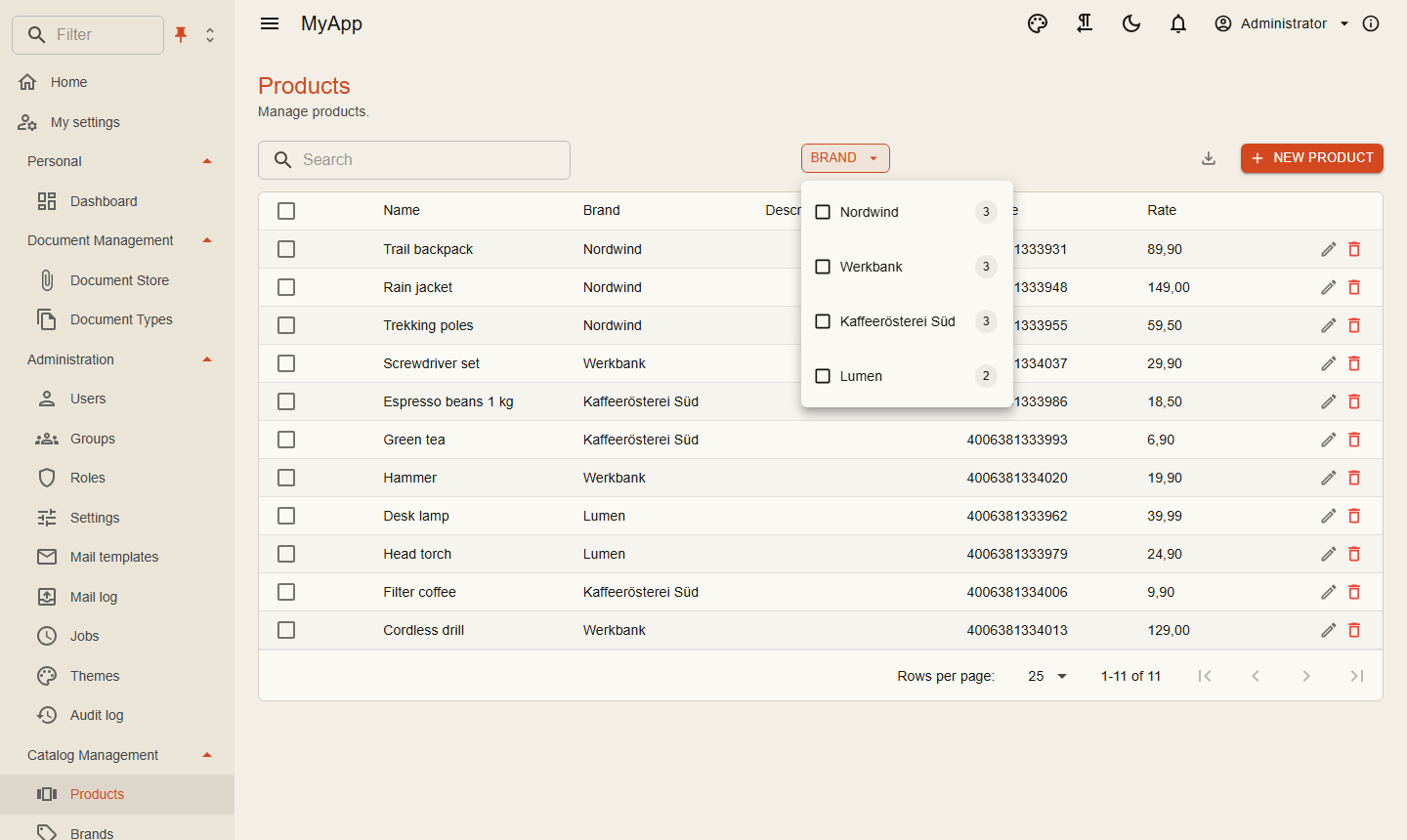
When the request asks for them with Prefer: odata.include-annotations="cn.facets", the page carries the facet groups under @cn.facets: every option with label, count and the OData filter fragment to apply. The counts follow the current filter, the same way shop filters do. Enum options carry the member name as value and filter (Status eq 'Shipped') and their [Display] name as label; [Flags] enums list each flag (Options has 'Express'). Number ranges and dates come with their smallest and largest value and a histogram of buckets. [FacetBehavior] next to [ProvideFacet], or services.ConfigureFacet<T>(...), sets the view and how values combine (any of, all of, single, with exclusion). With the Coworkee-Facets header a group counts without its own choice. CoworkeeDataTable shows them in views that fit their values.
Row level rules
Some rows are not for everyone. An entity filter narrows lists, counts, facets and single reads alike:
internal sealed class DocumentODataFilter(DocumentVisibility visibility) : IODataEntityFilter<Document>
{
    public Task<IQueryable<Document>> ApplyAsync(IQueryable<Document> query, CancellationToken cancellationToken) =>
        visibility.VisibleAsync(query, cancellationToken);
}

services.AddScoped<IODataEntityFilter<Document>, DocumentODataFilter>();
Child rows follow their parent
Rows that belong to a parent (items of a talk, lines of an order) should be visible exactly when the parent is. Instead of repeating the parent's filter:
An item is shown when the visible talks (every IODataEntityFilter<Talk>, tenant and soft delete, as ODataEntityAccess.VisibleAsync<Talk> returns them) contain its talk; the query is a subquery on the foreign key, no join. Items without a talk are hidden. It adds up with other filters of the child.
Navigations follow their target
A query reaches other rows through navigations: $expand (also [AutoExpand] navigations, which expand without it), $filter=Invoices/any(...), $orderby=Customer/Name, nested $count, $compute, /$count, facets and their labels, export and query_data filters, global search fields, report fields. They show exactly what the target's own set lists for the user:
- a collection only has the rows the target's
IODataEntityFilter<T>s let through, andany,alland$countsee only those; - a single navigation (
Customer) isnullwhen its row is hidden, at every level (Invoice/Shipment/Customer), and a collection under a hidden reference is empty; $expandinto a set the user lacks the permission of answers403naming the navigation; in a$filter, and behind an[AutoExpand]navigation, that set has no rows;- protected properties (
HideUnless), hidden members of a shared base and computed properties with aPermissionof the target stay hidden, also through the navigation: naming them answers403, expanded rows leave them out; - a type with row filters but no set of its own gets its filters too;
- a navigation to a base type (
Invoice.Shipmentof typeShipmentBase) applies the filters and permissions of every derived set to its rows; - facet counts come from the narrowed rows, and a facet label read through a navigation (
[ProvideFacet(LabelPath = "it.Customer.Name")]) shows the key instead of the name when the user may not see that row.
The filters are applied inside the query, so they must be plain Where calls on the query they get (closures with ids, EF.Parameter, subqueries and AddODataChildFilter are fine). A filter that does more (OrderBy, Take, Join, a new query), or fails on the empty in-memory query it is read from (one that asks the database first), cannot be applied to a navigation: $expand into its type answers 400, and in a $filter the type has no rows. Other queries are not affected: only the targets a query actually reaches are checked, once per request. The set's own list still uses the filter as it is. EF query filters of the DbContext (tenant, soft delete) apply to navigations as always.
The checks run on the query OData binds, not on its text: every property and navigation read in $filter, $orderby, $compute, $apply, $select and $expand (nested options too) is checked against the denied members of the type it is read from, its bases and, read through a base type, every derived set. So ?+$filter=, %20$expand= and Featured/ Size are checked like any other spelling, and a literal such as 'a/Note' is no property. Members are checked whatever node reads them, entity-set aggregates (aggregate(Employees(Salary with max as M))) and options nested in $expand included, and a query the check cannot parse answers 400 instead of running. $search matches only the string properties the user may read (no Hide, no HideUnless without the permission), in lists and exports; a search field an ISearchable entity names (x => x.FirstName + " " + x.LastName, x => x.Note.ToLower()) is left out when any member it reads is hidden or denied, or reached through a navigation whose target has row filters or a permission the user lacks. Parameter aliases ($filter=@a gt 5&@a=Size) are refused with 400, and so is $apply through a navigation into rows with row filters or permissions (a hidden target would make a group of empty values); $apply over the set's own properties, or through navigations without such rules, works. A facet whose value is read through a navigation (ValuePath = "it.Customer.Name") is left out when its target has row filters or a permission the user lacks, or the value is denied to him; the target's key (Customer/Id) stays when it is the row's own mapped and readable foreign key to EF's key of the target, and complex members and targets without such rules stay. A facet through a collection (it.Lines.Id) is refused when the model is built. $expand=*($levels=2) into a set the user may not read comes back empty instead of 403, like an [AutoExpand] navigation.
Not covered: own code that composes navigations on ODataEntityAccess.VisibleAsync without the scope, and the Title, Subtitle, Url and Thumbnail functions of the global search (they see the row's own columns only). ODataNavigationScope.For(services, typeof(T)) gives the rules to own queries: await scope.ApplyAsync(query, ct) narrows every navigation in it, outside the rows VisibleAsync returned.
Computed properties
A value computed from other columns, or from other tables, is an ODataComputedProperty of the set. The database evaluates it, so $filter, $orderby and $select work on it; it comes back only when $select names it:
internal sealed class ShipmentProperties : IODataComputedPropertySource
{
    private static readonly Expression<Func<CalculatedShipment, string>> Display = s => s.ShipmentNumber + " / " + s.HouseBill;

    public IEnumerable<ODataComputedProperty> Properties(ODataEntityRegistry registry) =>
        [new(typeof(CalculatedShipment), "ReferenceNumberDisplay", typeof(string), row => ODataComputedProperty.Inline(Display, row))];
}

services.AddSingleton<IODataComputedPropertySource, ShipmentProperties>();
GET /odata/CalculatedShipments?$select=Id,ReferenceNumberDisplay&$orderby=ReferenceNumberDisplay&$filter=contains(ReferenceNumberDisplay, 'HB-1')
An expression over the row's own columns works on every set, also on one of an external database. A subquery on another table uses ComputedQueryRoot.Of<T>() as its source; that needs the app's own DbContext. Permission hides the property from users without it, Exported makes it an export column, Facet gives it a facet group. A getter-only C# property (public string Display => ...) is no column; the OData model leaves it out, so expose such a value this way.
Hiding properties
Internal fields stay out of the model, so they are neither returned nor filterable:
Hide and HideUnless also take members a base class declares (o => o.Hide(s => s.Tags) with Tags on ShipmentBase). Usually the EDM gives every set its own copy of the base's members, and they leave only this set. When a navigation points to the base class (Invoice.Shipment of type ShipmentBase), the EDM has the base as a type of its own that every derived set shares, and a hidden member cannot leave it for one set alone. It then stays in the model, and on the hiding set it is refused for everyone like a HideUnless property nobody holds the permission of: not serialized, $filter, $orderby, $select and $expand naming it answer 403, exports, reports and search leave it out. Other sets of the base keep it. The app logs a warning at startup. Rows reached through a navigation to the base leave out the hidden properties and navigations of their own set (Stickers?$expand=Owner($expand=Stickers) has no stickers on owners whose set hides them).
Properties behind a permission
Some fields are for some users only, salaries for HR for example. HideUnless keeps a property in the model but out of reach of users without the permission:
services.AddODataEntity<Employee>("Employees", HrPermissions.Employees.View, o => o
    .Hide(e => e.PasswordResetToken)
    .HideUnless(e => e.Salary, HrPermissions.Salaries)
    .HideUnless(e => e.BirthDate, HrPermissions.PersonalData));
For a user without the permission:
- lists and single reads leave the property out (make it nullable in the client's DTO, so it reads as empty and not as
0); $filter,$orderby,$select,$expand,$apply,$computeand facet filters naming it answer403, also through a navigation (Manager/Salary);- its facet group is left out;
- exports leave the column out and refuse filters on it;
- reports neither list the field nor group, aggregate or filter by it;
- the global search does not match on it (a
TitleorSubtitlefunction of your own must not show it either); - the assistant's
list_data_setsandquery_dataneither list nor return nor filter it; - the entity history leaves its changes out and a restore does not touch it;
- webhooks of an endpoint whose owner lacks the permission leave it out.
The check is per permission, not per row. The admin audit log (Audit.View) still shows every change.
From the Blazor client
IODataClient builds the URL and reads values, count and facets:
var page = await odata.QueryAsync<BrandDto>("Brands", new ODataQuery { OrderBy = "Name", Top = 1000, Count = false });
The BFF forwards /odata to the API with the user's token.
Client entities
Mark an entity [ClientEntity] and Blazor clients keep a copy of its set and query it locally; see Client entities.
Export and import
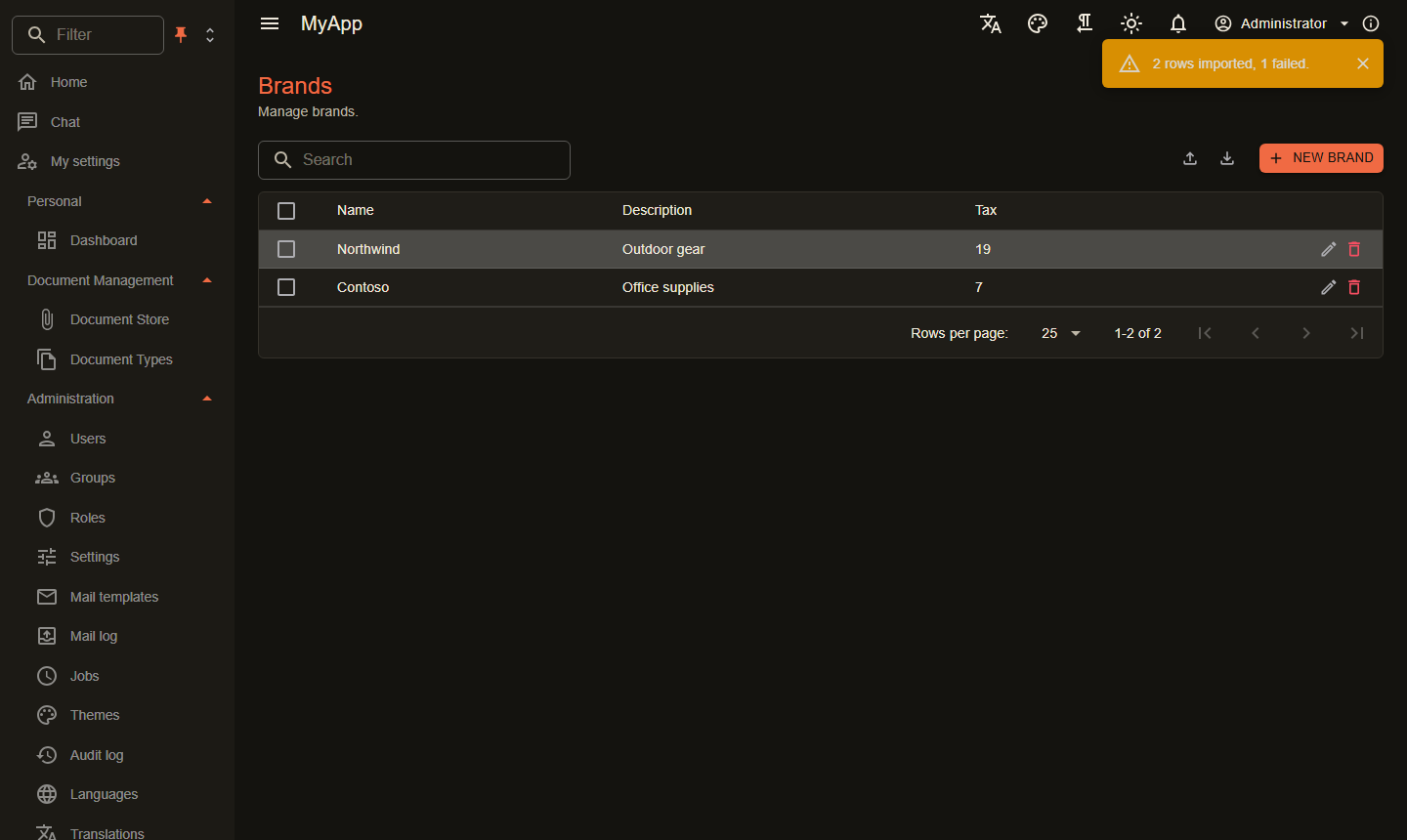
Every entity set can be exported as Excel, CSV or JSON with the list's $filter, $search and $orderby; AddODataImport makes a set importable through a wizard with column mapping, preview, upsert, dry run, background jobs and undo:
services.AddODataImport("Brands", (Guid? id, AddEditBrandRequest row) => new AddEditBrandCommand(id, row));
Everything about it is on Import and export.